Loading...

BASKIT • CONCEPT 2025

Baskit

Baskit

TIMELINE

8 Weeks

2024

SKILLS

UI Design

User Research

Motion Design

TEAM

1 Designer (me!)

TOOLS USED

Figma

Jitter

OVERVIEW

Invisible Technology, Effortless Shopping

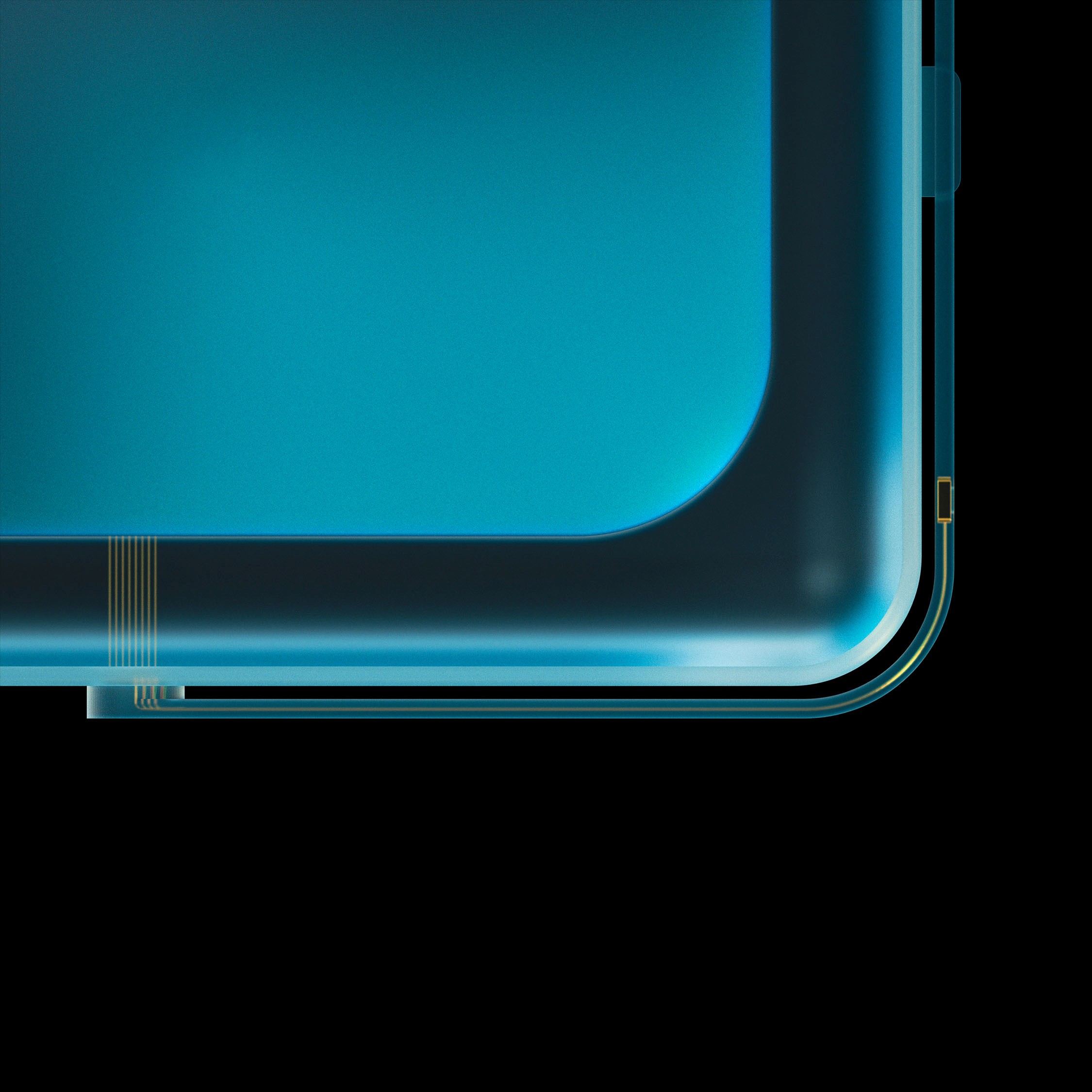
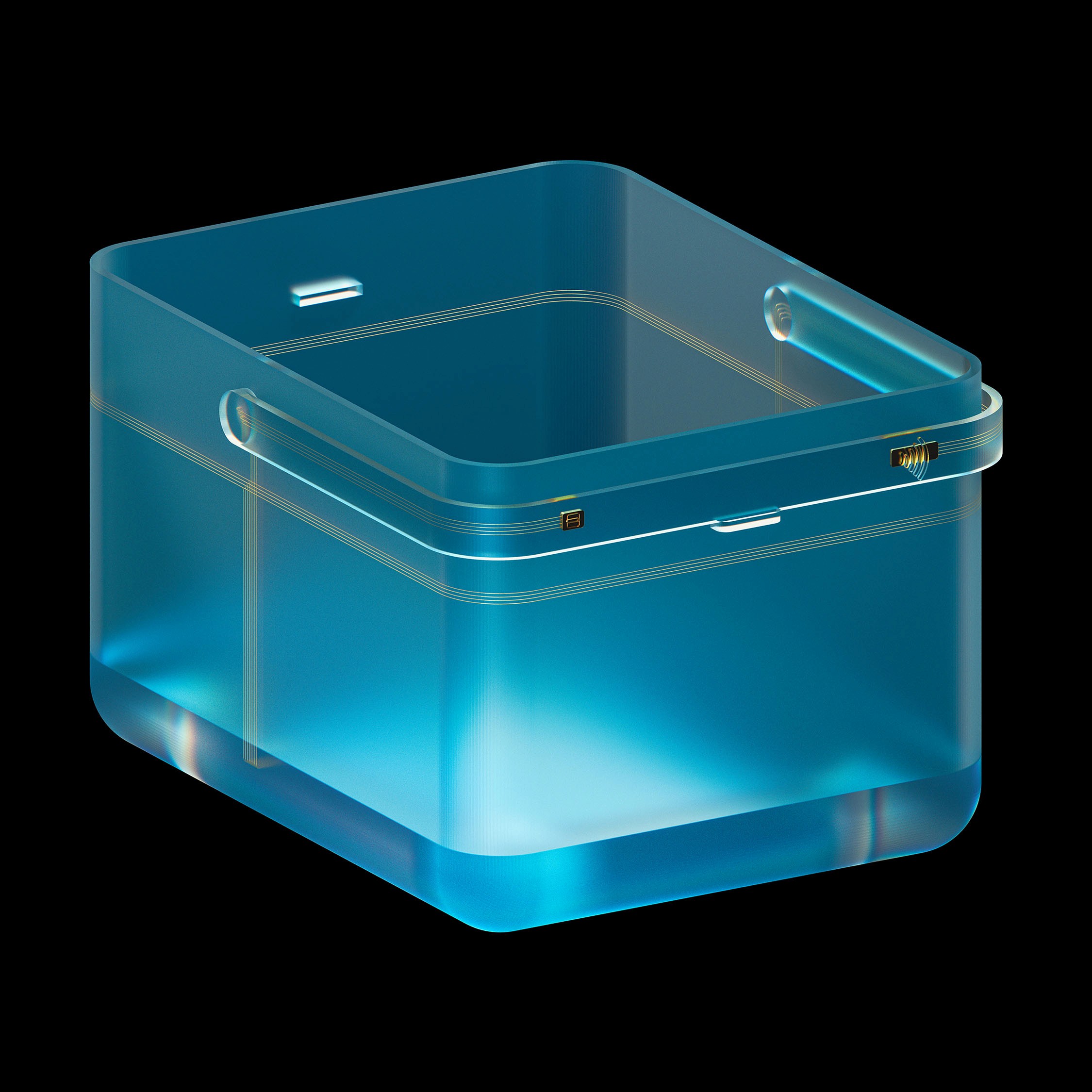
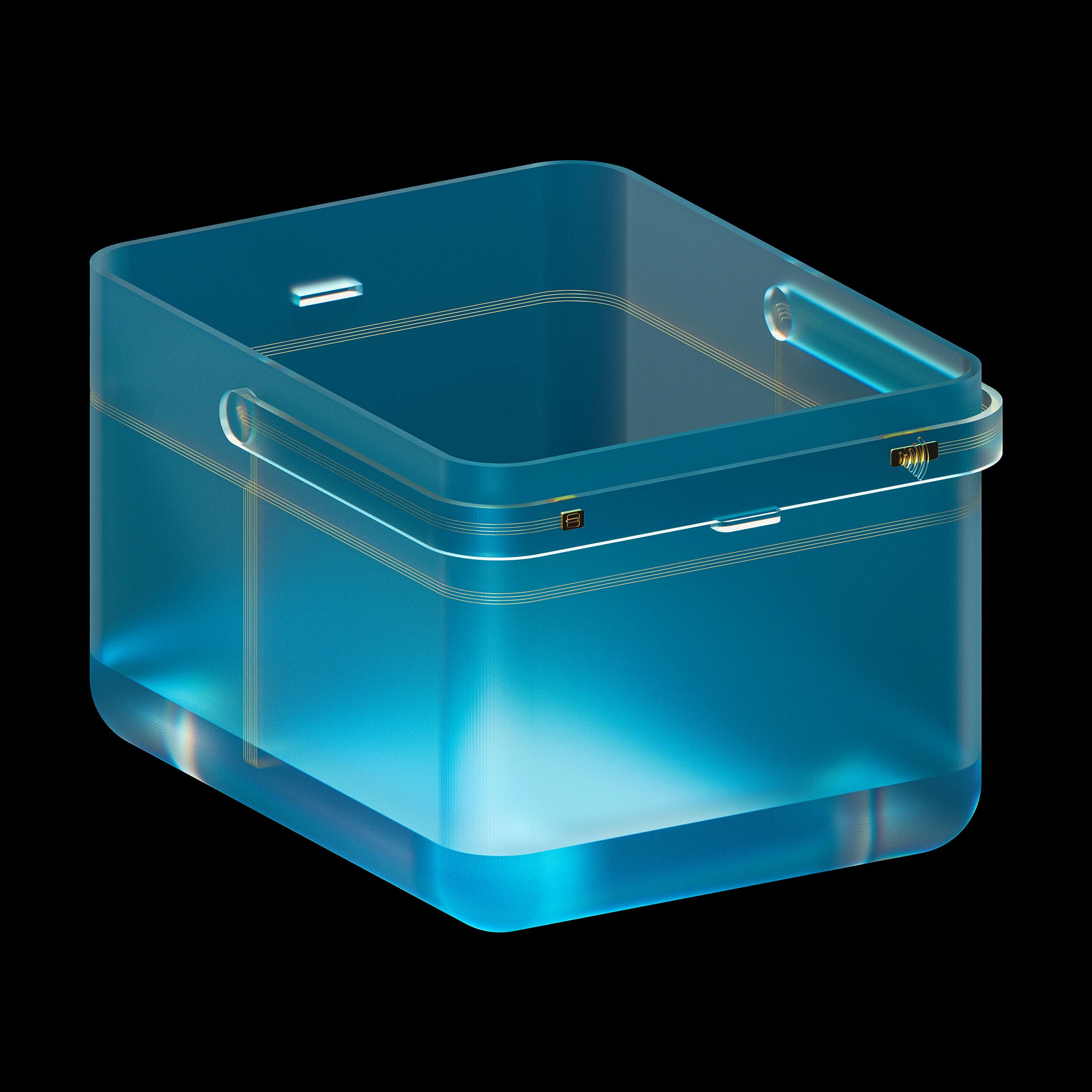
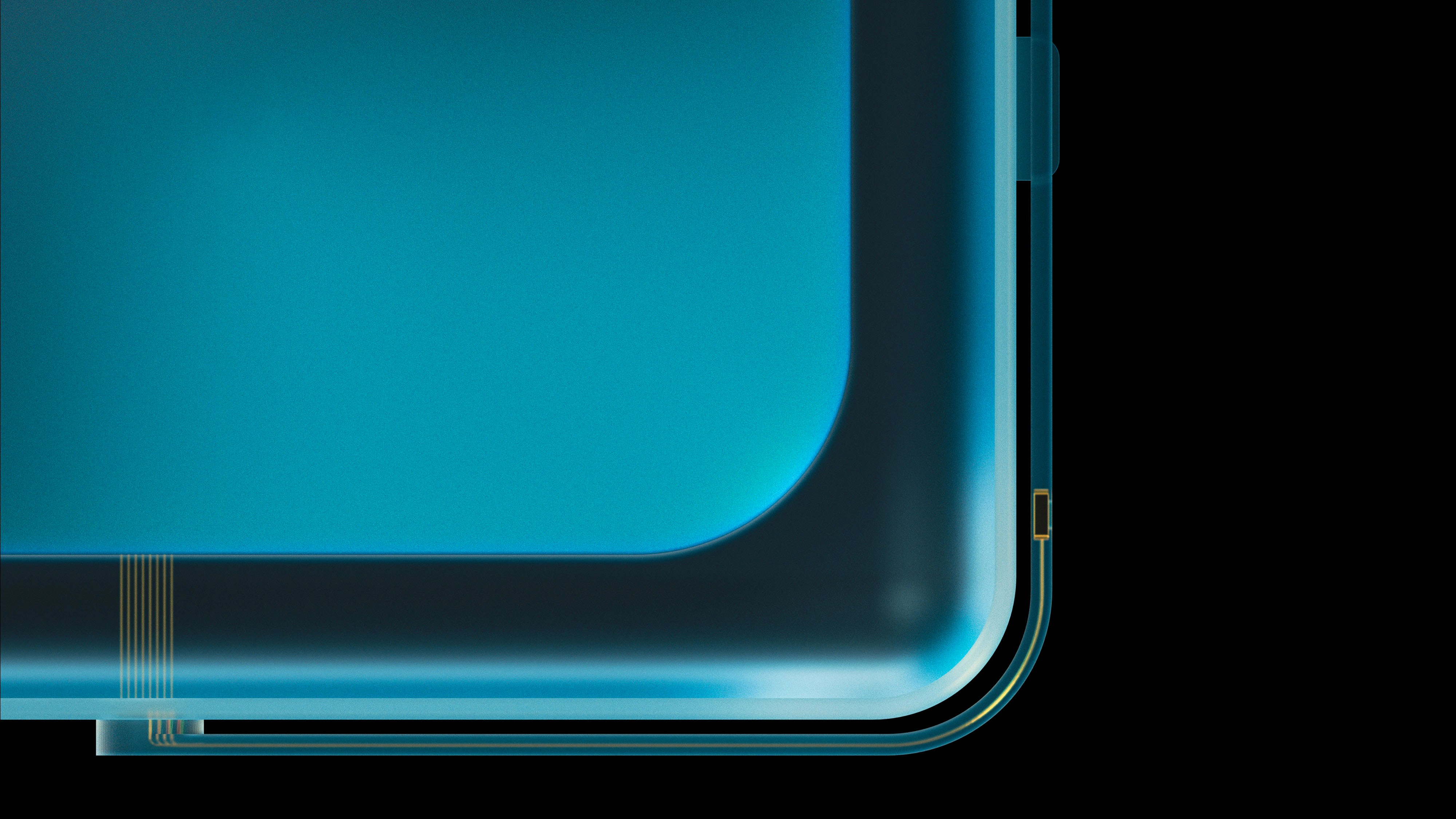
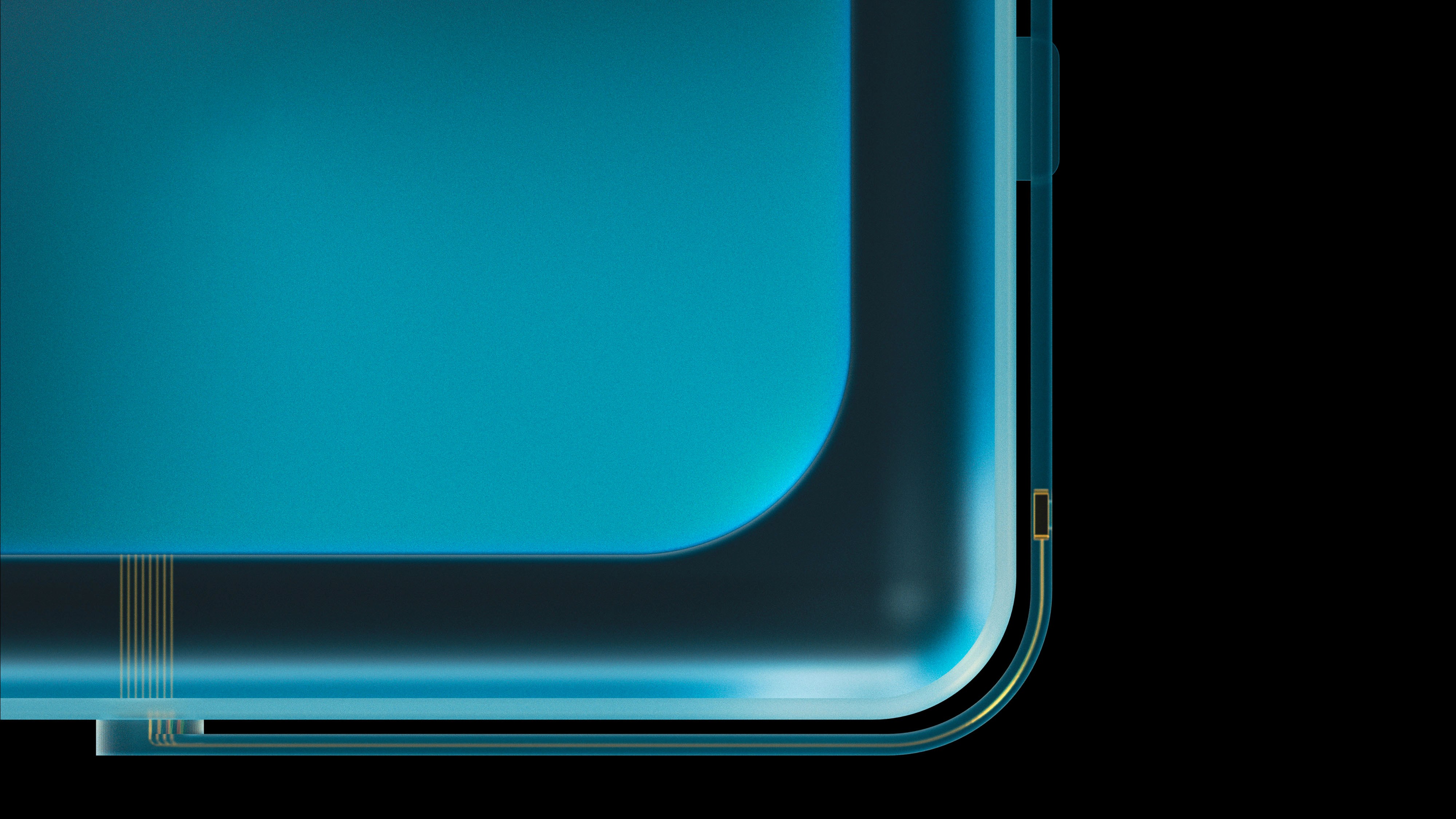
Baskit is a next-generation smart shopping basket. It utilises RFID technology to identify products from a special electronic tag embedded in the packaging. With the app, the user is able to wirelessly connect to the basket and see a live shopping list of the products placed inside, the total cost, and get more information about each product. The computer onboard each basket continuously monitors for changes in the tags, such as product removal, and automatically updates the shopping list. On the handle is a payment receiver, allowing the user to tap their phone or contactless card to check out directly on the basket. The combination of these technologies removes the need for tills, barcodes or handheld scanners - improving user satisfaction and efficiency.

Desired outcomes

This university project aims to create a solution which is so intuitive and frictionless that the user doesn’t feel like they’re doing the work of an employee. It utilises the strengths of existing technology in new, innovative ways that improve the experience of customers in-store.

Problem SPACE

Autonomous shopping has failed to focus on it's main priority: the user

While autonomous shopping is the future, the current implementation is flawed. Research shows that while users want speed, only 50% felt existing autonomous tech positively impacted their experience. Purely app-based solutions (like Amazon Fresh) often suffer from connectivity issues, battery anxiety, and a "dystopian" lack of human support.

OPPORTUNITIES

Balancing business and user goals

Current solutions focus too much on the benefits they bring to a business, neglecting the user in the process.

Efficiency & Reliability

Existing technologies are unreliable and inefficient, burdening employees and customers with troubleshooting.

SOLUTION

Core Flows

A physical device that leverages a familiar mental model (shopping basket) to introduce complex technology (RFID), balancing business efficiency with user control. Its companion app is simple and intuitive, focusing on the user’s goals.

VIEW ALL PAGES

Simple and fast navigation

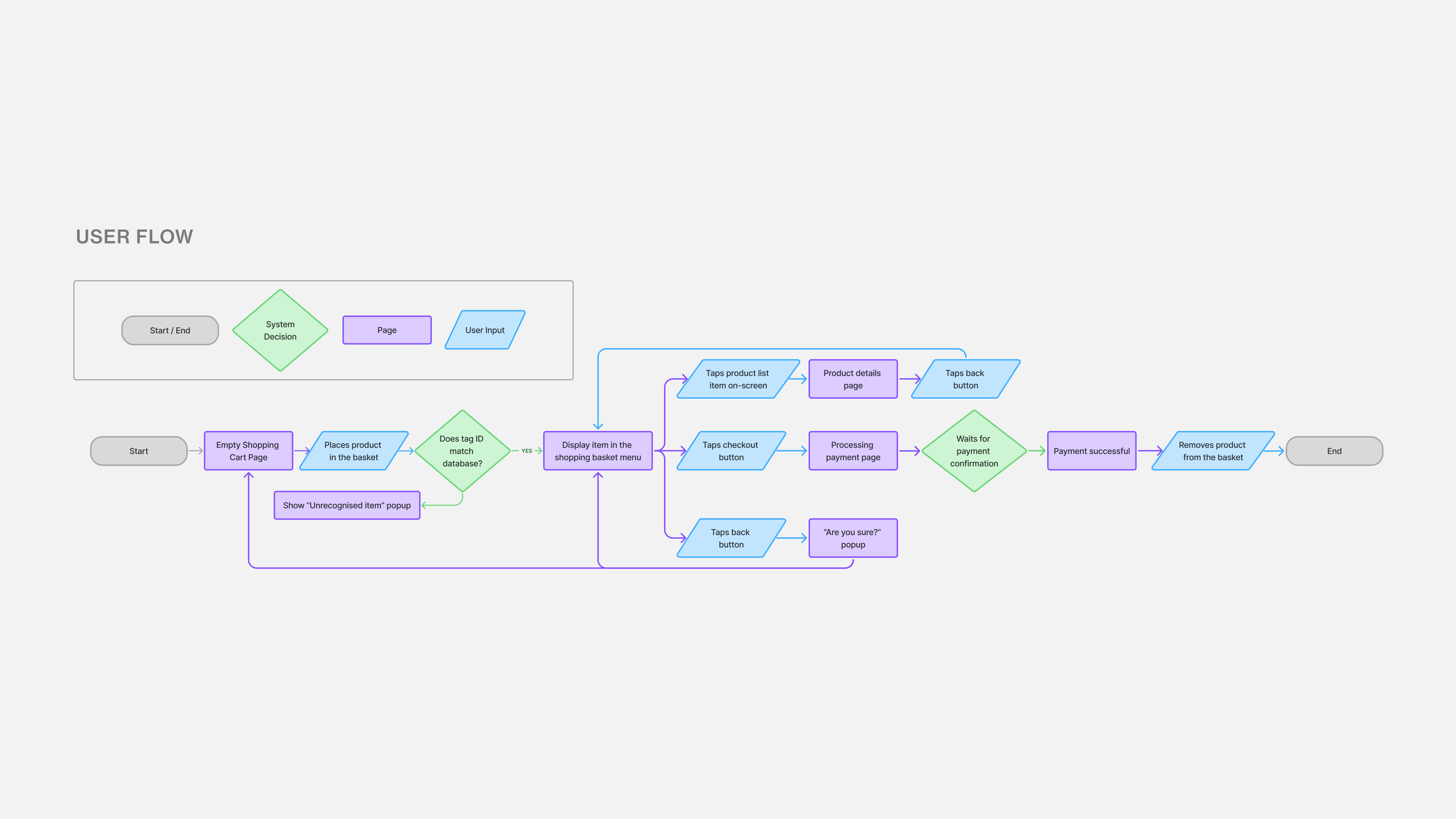
Customers have the ability to customise their shopping experience. They can use an account, shop as a guest or even bypass the app altogether and simply pay with contactless directly on the basket.

With the app, checkout can be done in as few as 3 steps: pairing, placing a product in the basket, and paying through the checkout in the app or by tapping their contactless card on the basket handle.

Effortless monitoring

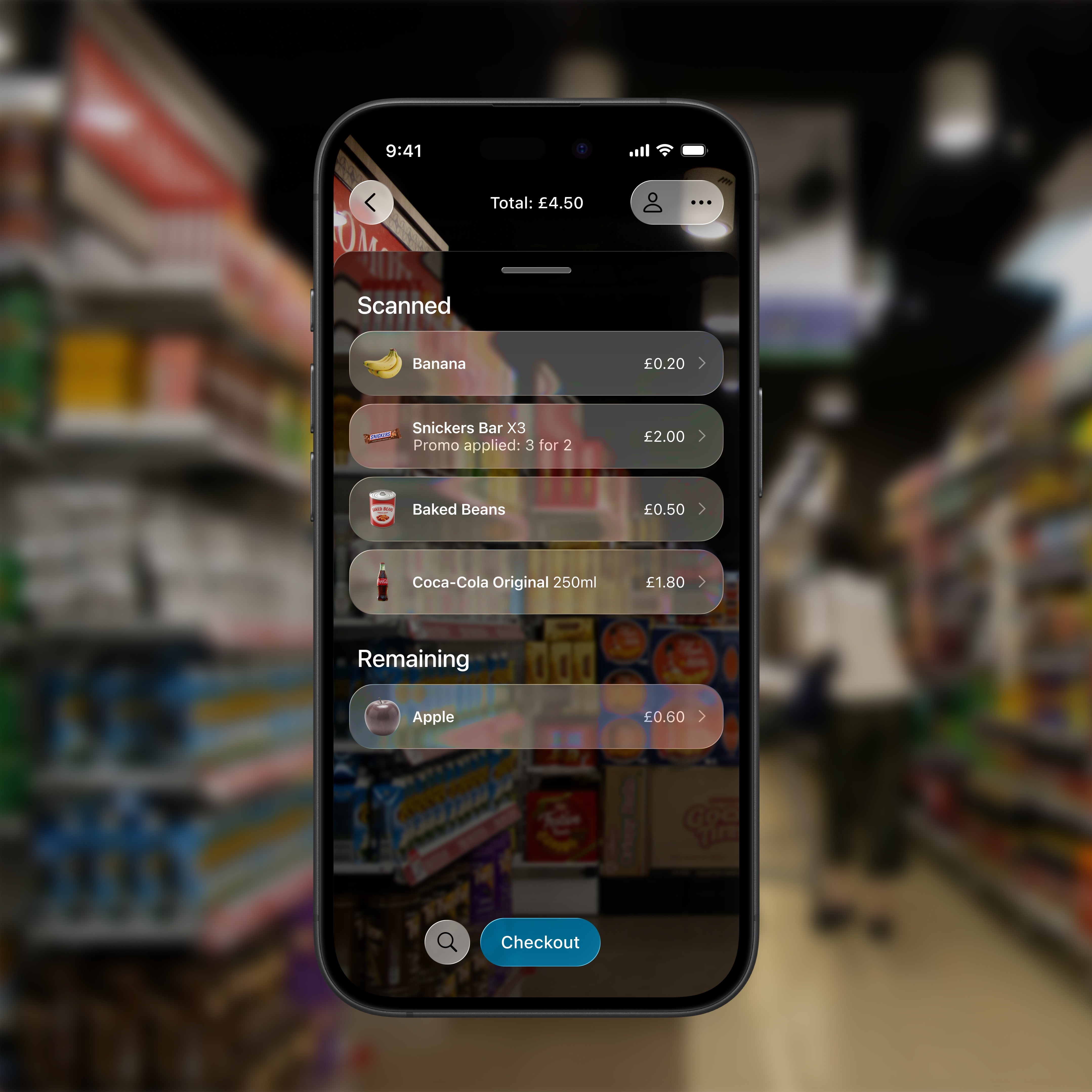
Once the basket is connected to the customer’s device, they’re able to easily monitor scanned products and total spend in real time with minimal learning curve.

Wayfinding

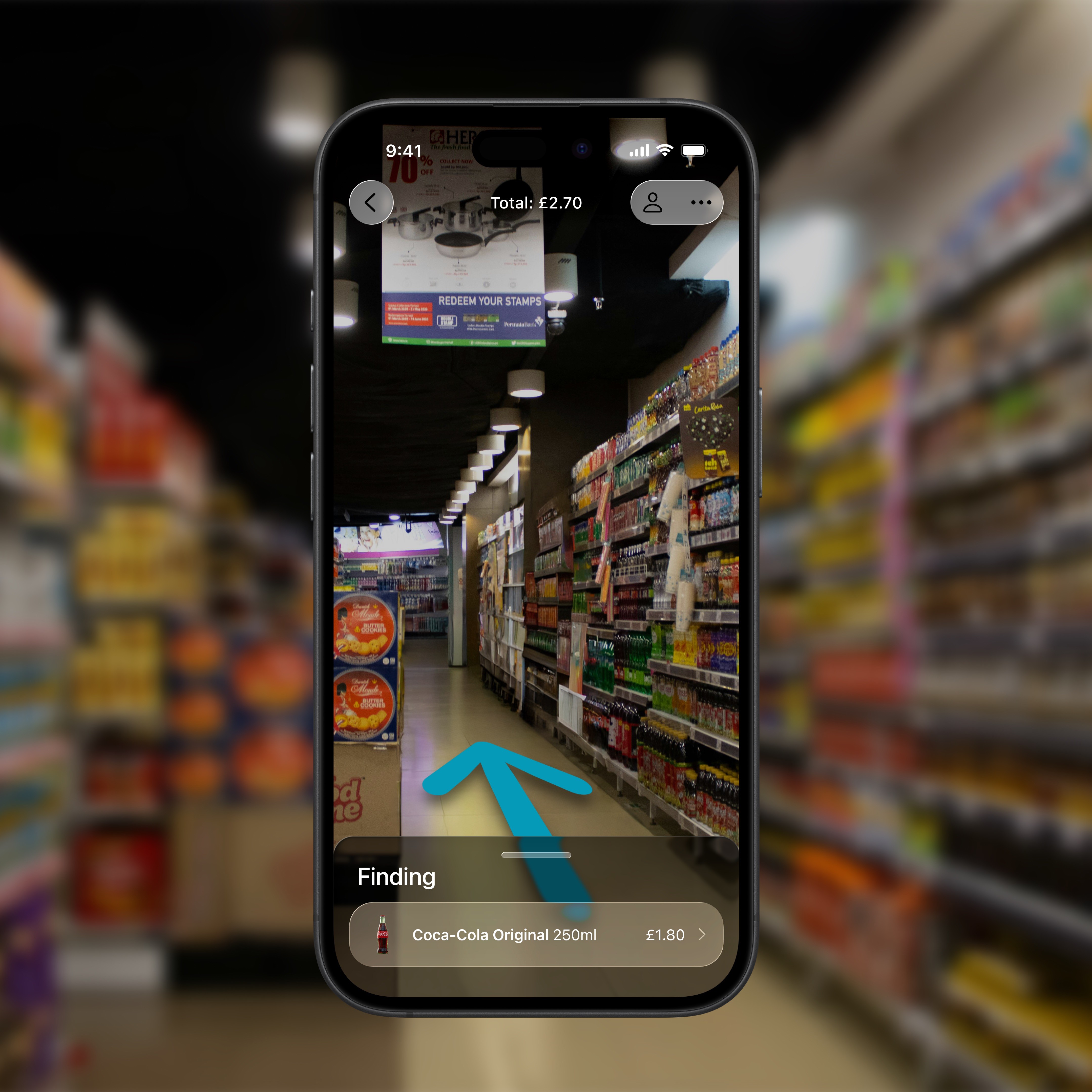
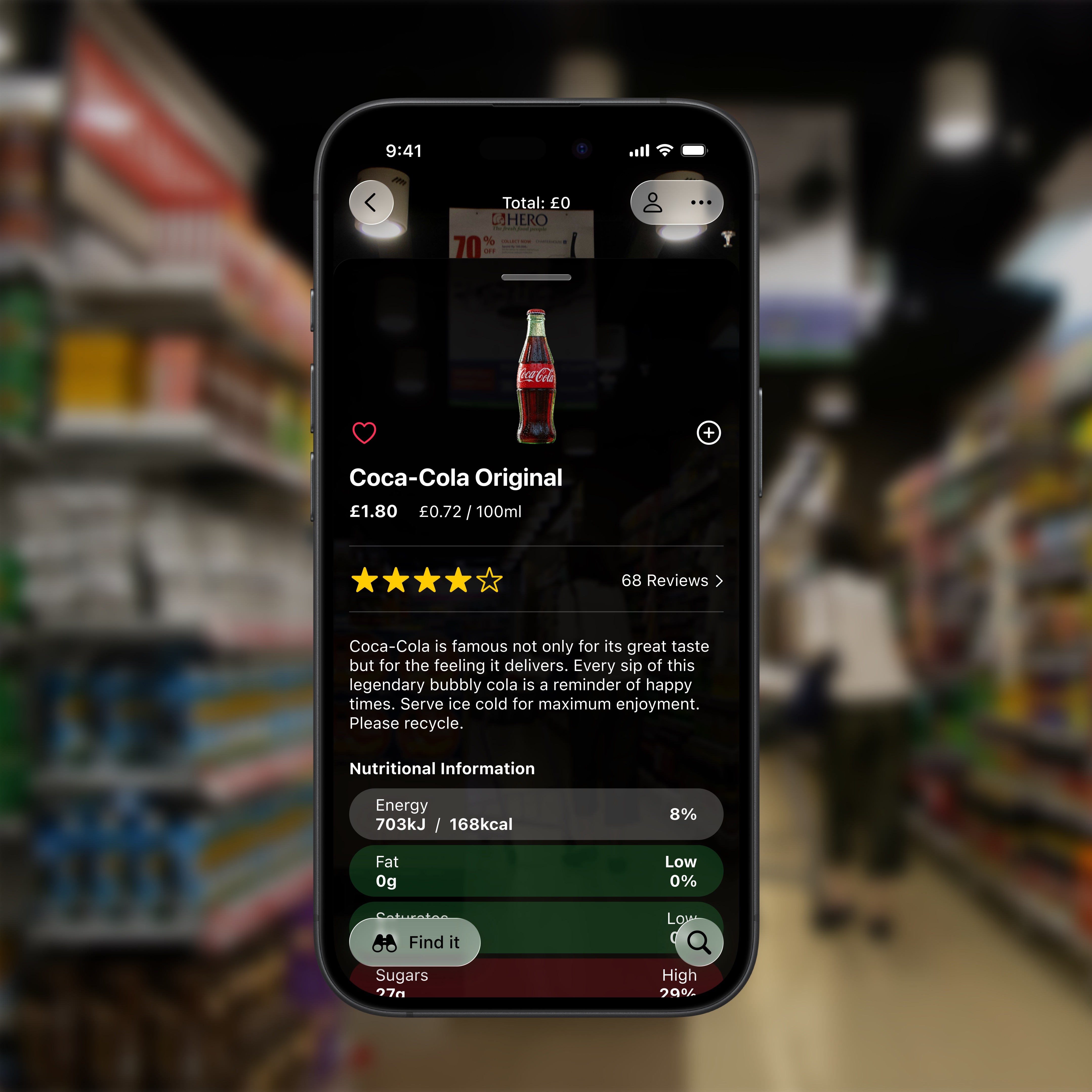
Finding specific products in-store is a major pain point that slows down the shopping journey. The built-in product finding functionality specifically solves this problem it’s AR forward interface which allows seamless overlay of navigation elements in the physical space. The app’s glass aesthetic further enhances this by blurring the boundaries between the physical environment and the phone’s display.

Accessible product information

Customers can easily find additional product information simply by placing a product in the basket and tapping the icon on their device without the need to scan barcodes or search in the app.

RESEARCH

Research questions

I started the research process by listing a few key questions. These would help to guide me as I learned more about the different technologies and how they impact both users and employees.

1.

What are most popular technologies amongst users?

2.

What are some opportunities in existing implementations?

3.

What do retail workers think about working alongside these technologies?

4.

What would users like the future of retail to be?

SECONDARY RESEARCH

Market Research & Trends Mapping

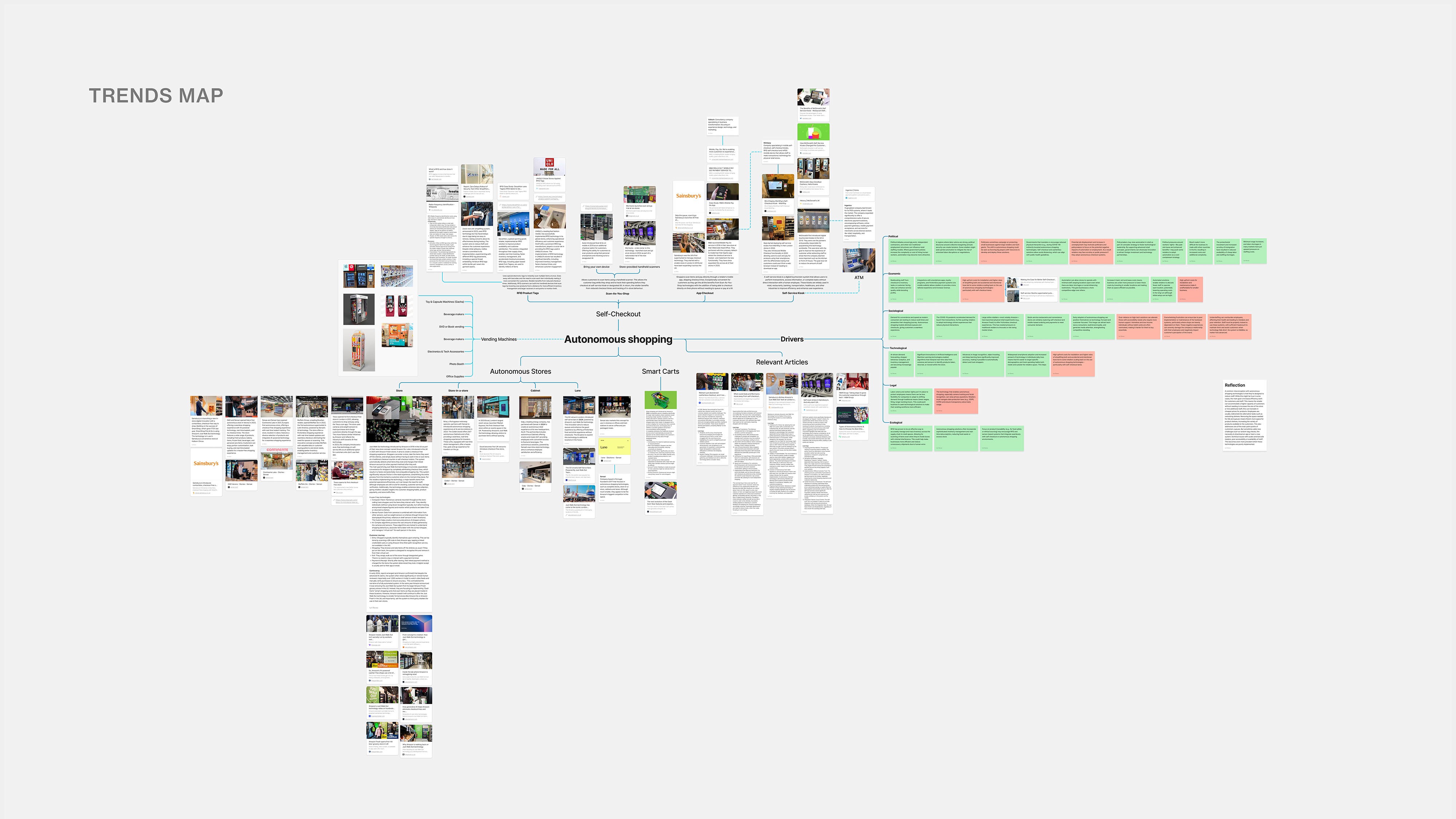
The secondary research involved a thorough analysis of the current market, including defining the different signals and drivers. The objective was to understand the currently available offerings, the context behind them and how the proposed solution could contribute.

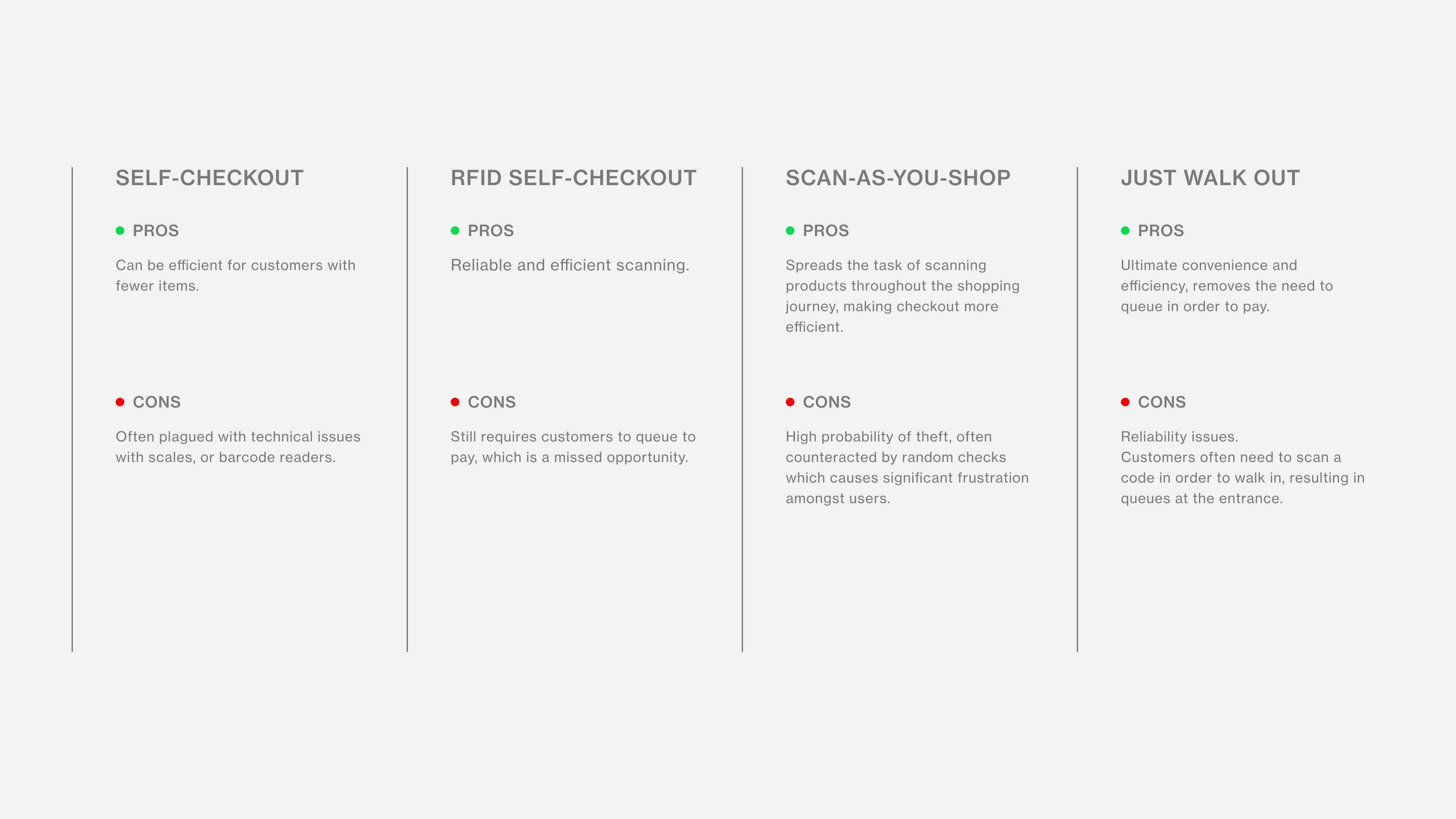
From this trends map I drew the following comparison table between the most popular autonomous shopping technologies available at present.

PRIMARY RESEARCH

Connecting with users

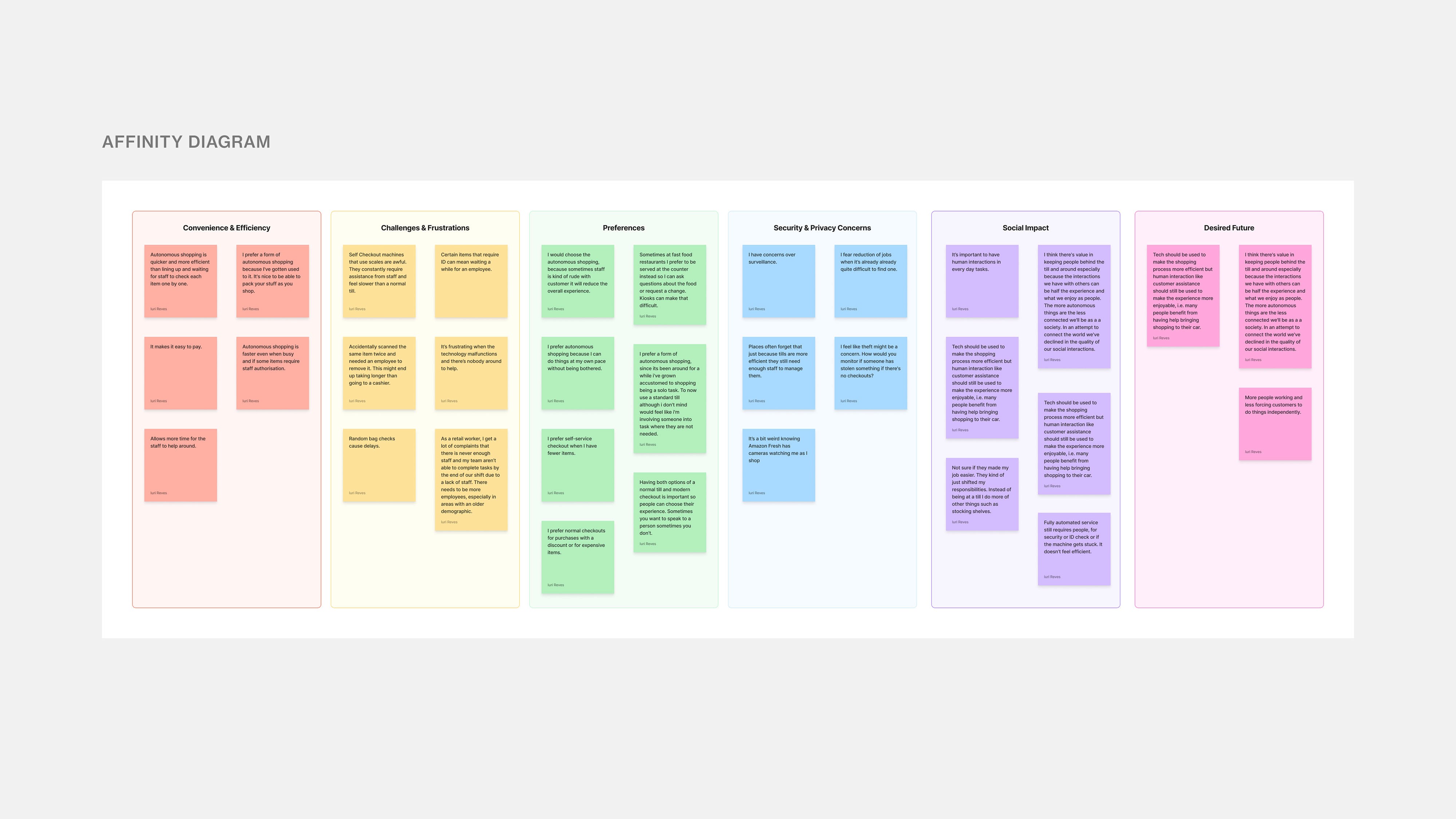
Primary research aimed to directly hear from the user’s perspective. It involved a survey of 15 participants conducted through Google Surveys and follow-up interviews with those who consented.
KEY USER INSIGHTS

Existing solutions sacrifice user experience for business efficiency

Speed is king

Eliminating queues and speeding up checkout is the core appeal across all technologies. RFID checkouts (Decathlon) seem most successful in reliably delivering speed with minimal user friction.

Reducing friction is key

Technologies heavily reliant on customer smartphone apps (Just Walk Out entry, Scan & Go apps) can introduce usability challenges: technical glitches, battery dependency, connectivity, and entry barriers. The need to create an account also adds significant friction for new customers.

The human element still matters

Even in highly automated environments, users frequently need staff for troubleshooting, verification, or reassurance. Lack of available staff during issues is a common complaint, negating the tech’s benefits.

Trust & accuracy

Just Walk Out systems suffer from user anxiety and reported errors regarding correct charging, impacting trust. Scan & Go faces frustration with “random checks.” RFID seems largely immune to these specific issues.
EXPERIENCE MAPPING

Becoming my users

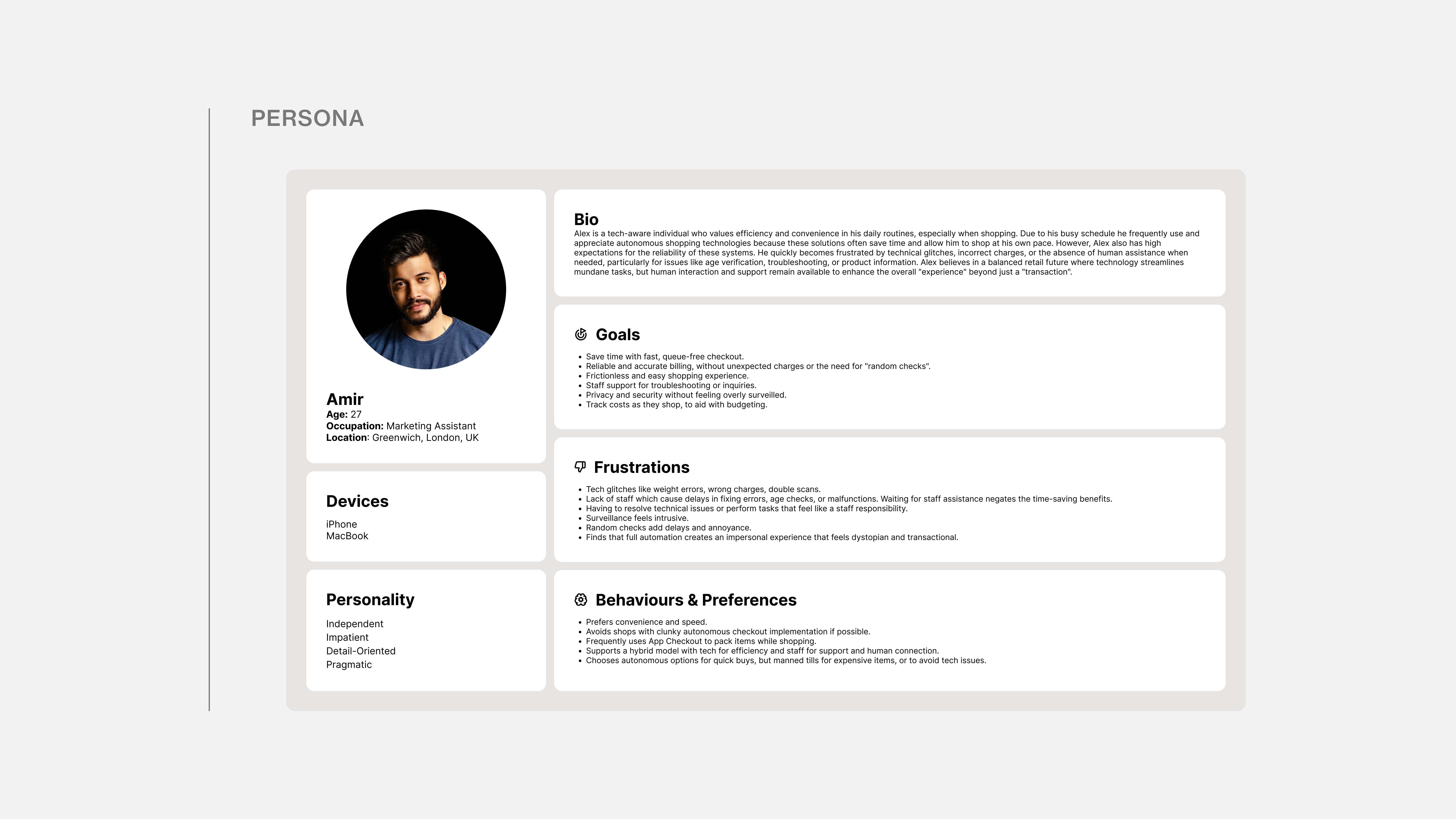
To gain a deeper insight into the user's objectives and challenges, I constructed a persona to synthesise the recurring patterns found in my research.

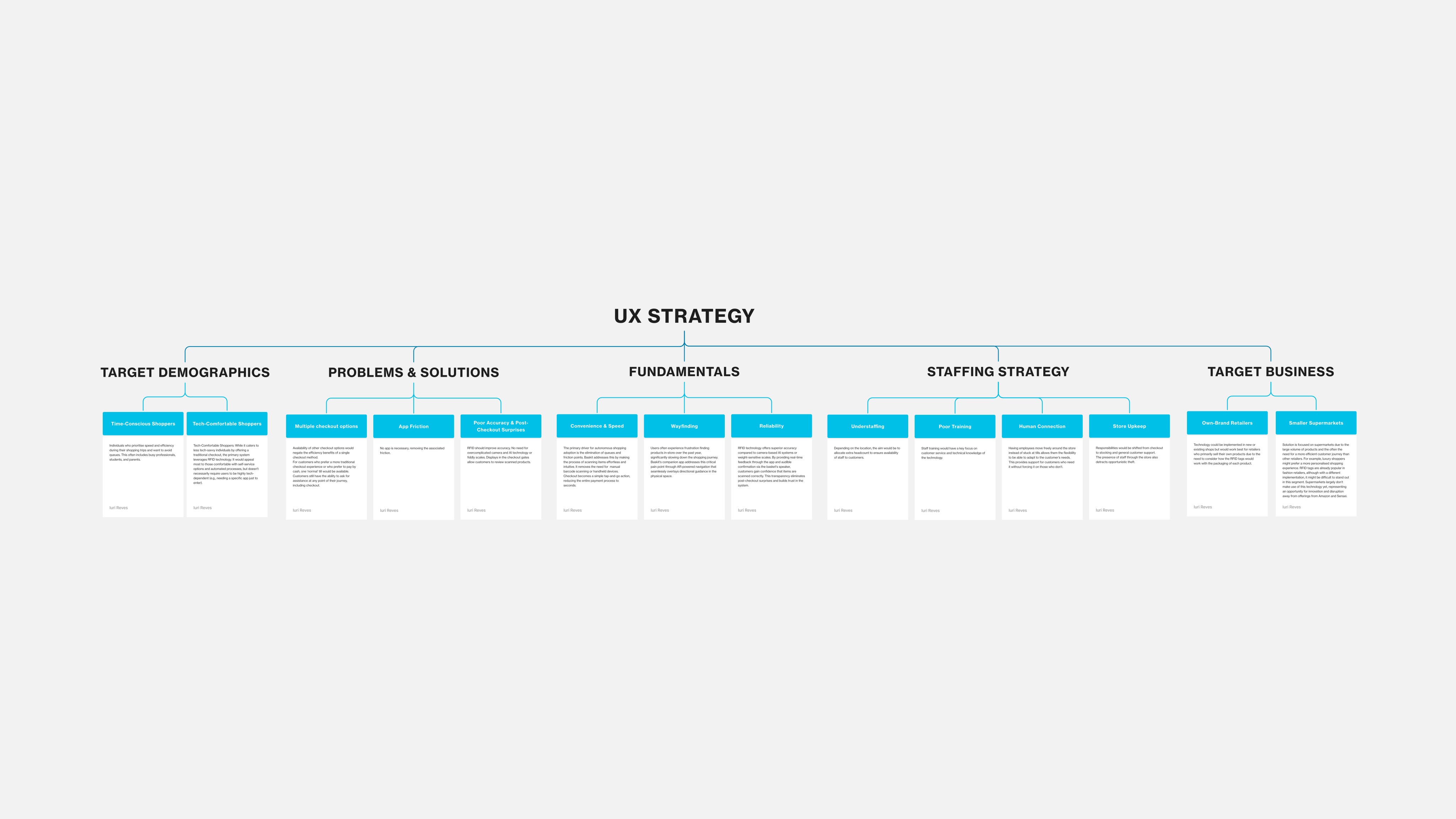
UX STRATEGY

How could a new solution fit in a crowded market?

With a clear understanding of user pain points and the target persona, I developed a comprehensive UX strategy to guide the solution design. This strategy serves as the bridge between research insights and implementation, ensuring that Baskit addresses real user needs while remaining commercially viable for retailers. By considering both the customer experience and business implementation from the outset, the UX strategy ensures that Baskit doesn't just solve problems on paper. It creates a realistic, scalable solution that retailers could confidently adopt and users would genuinely prefer over existing alternatives.

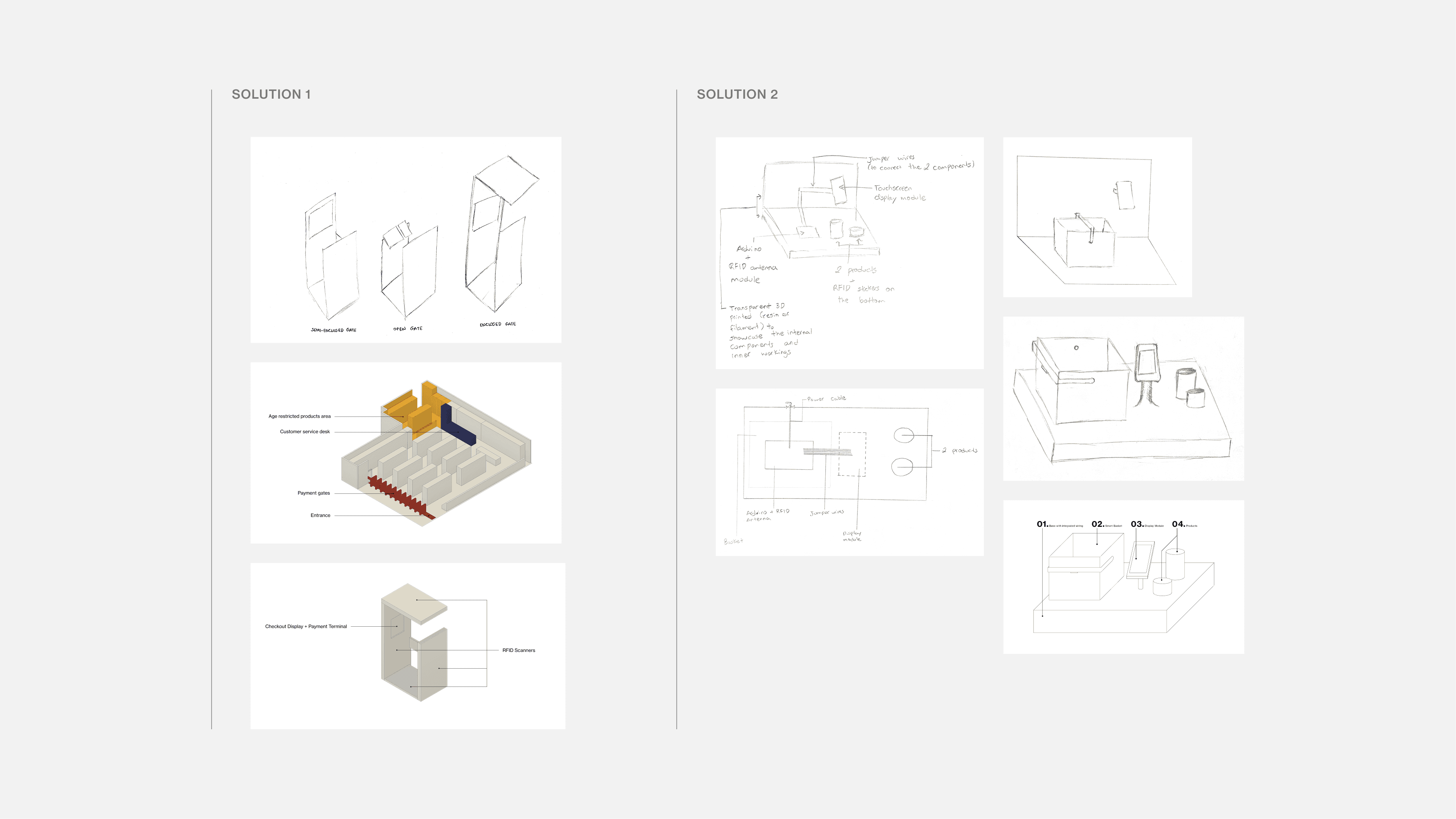
IDEATION & SKETCHING

Brainstorming solutions

I developed two different solutions that aimed to use RFID technology to tackle users’ pain points. The first solution took inspiration from Amazon’s Just Walk Out concept but used RFID tags and scanning gates instead of cameras, hopefully improving reliability. The second solution involved miniaturising the technology used by Decathlon in their RFID Self-Chouts into a small battery-powered shopping basket. I presented both solutions to a selected number of users to determine which one they preferred. An overwhelming percentage of those asked (80%) preferred the second option, because it felt more familiar and seemed easier to understand and use.

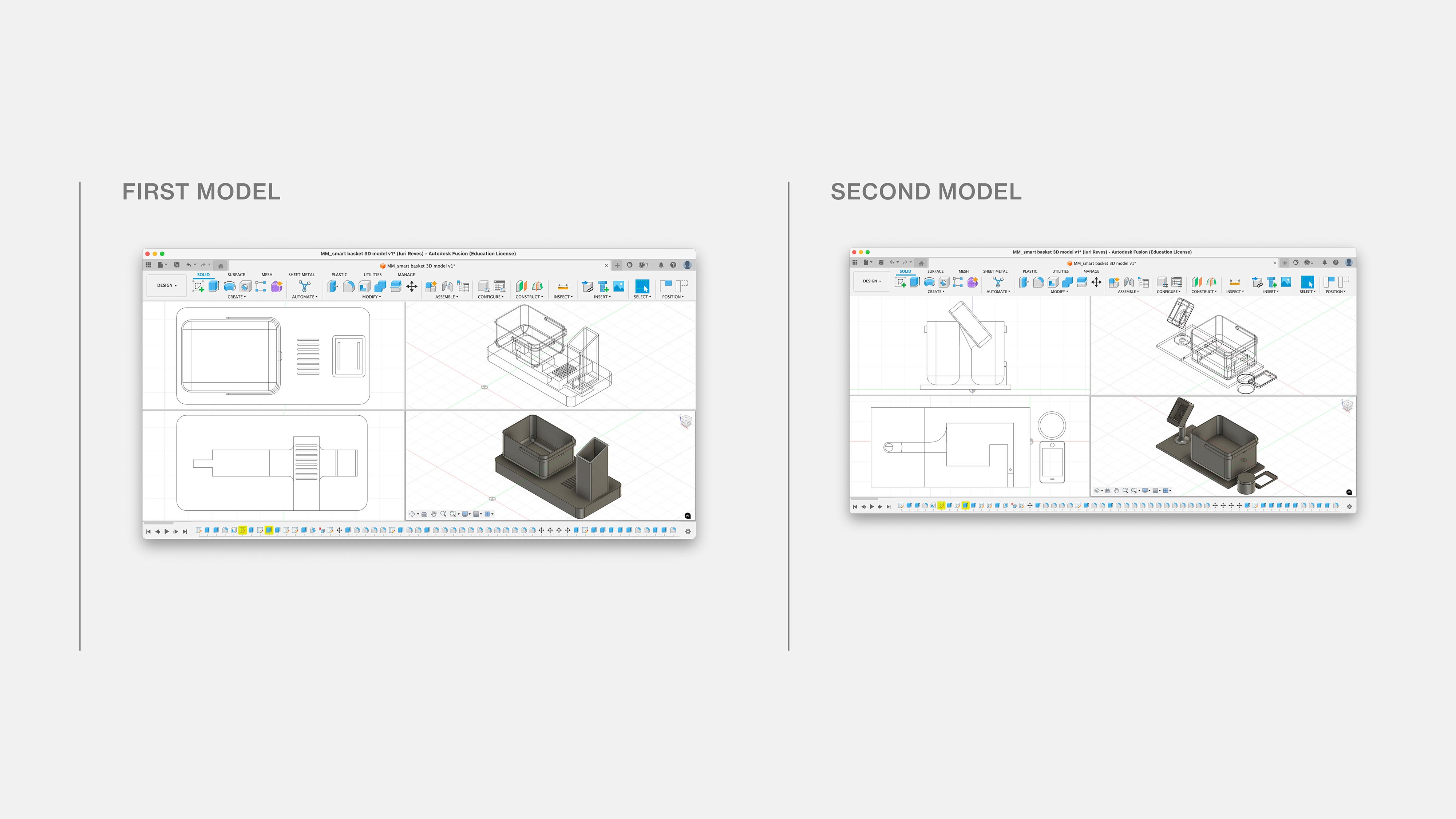
BASKET PROTOTYPES

Overcoming challenges

The physical prototype model was designed in Fusion 360 and refined on the second iteration to accommodate the size limitations of the 3D printers. I sought feedback throughout most of the process leading to the 3D printing in order to avoid printing the model twice to reduce costs and ensure a timely delivery. One piece of feedback I received was that it wasn’t clear that the display was supposed to represent a phone, which was also taken into consideration on the second iteration.

PROTOTYPING & VALIDATION

The physical prototype model was designed in Fusion 360 and refined on the second iteration to accommodate the size limitations of the 3D printers. I sought feedback throughout most of the process leading to the 3D printing in order to avoid printing the model twice to reduce costs and ensure a timely delivery. One piece of feedback I received was that it wasn’t clear that the display was supposed to represent a phone, which was also taken into consideration on the second iteration.

Components

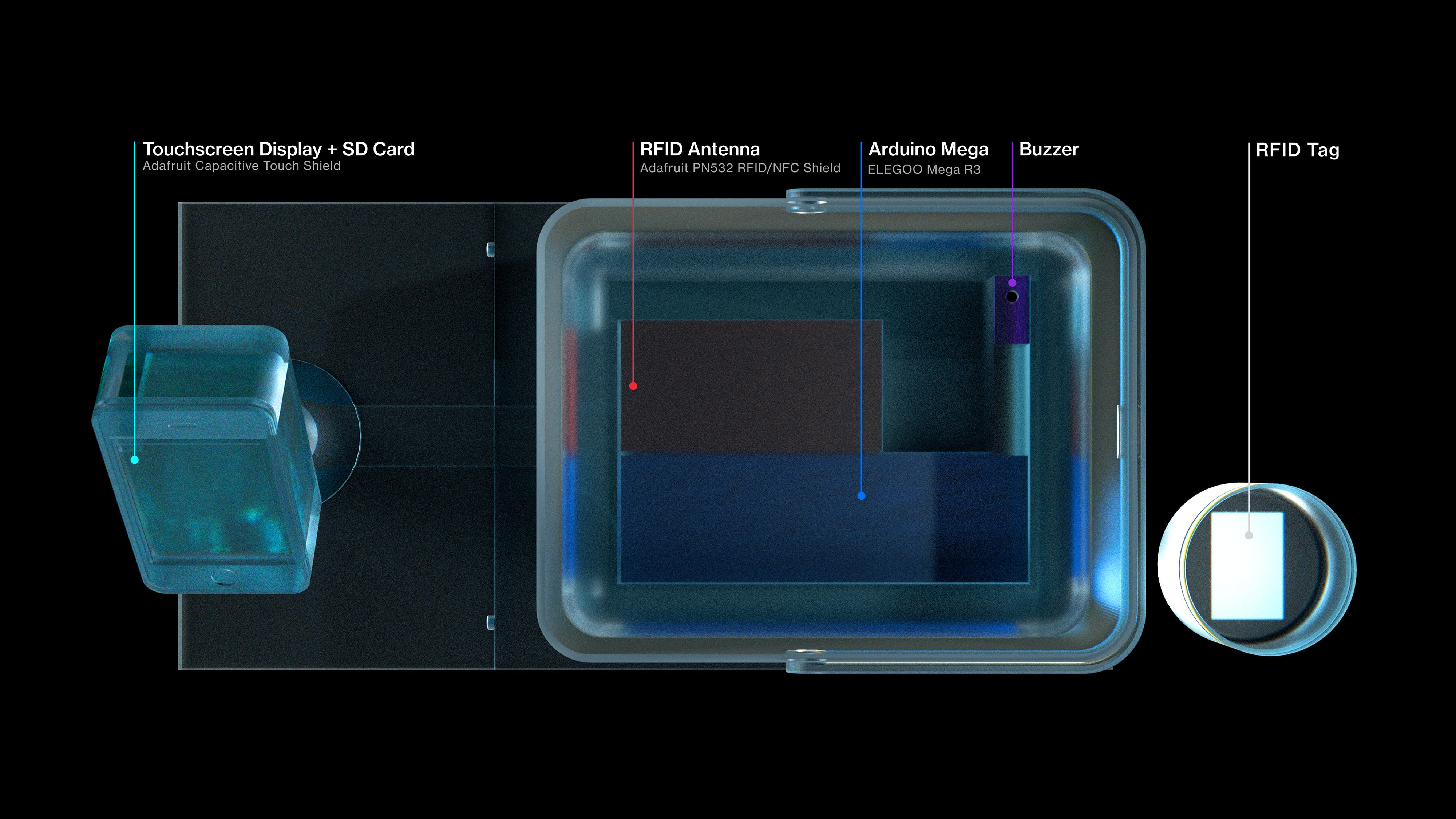
There were a total of 5 components used: A Capacitive Touch Screen to demonstrate the functionality of the basket, an RFID Antenna to scan for tags, an Arduino Mega as the computer-on-board, a Buzzer to provide audible confirmation when a tag is scanned, RFID Tag to attach to the demo product.

CODING

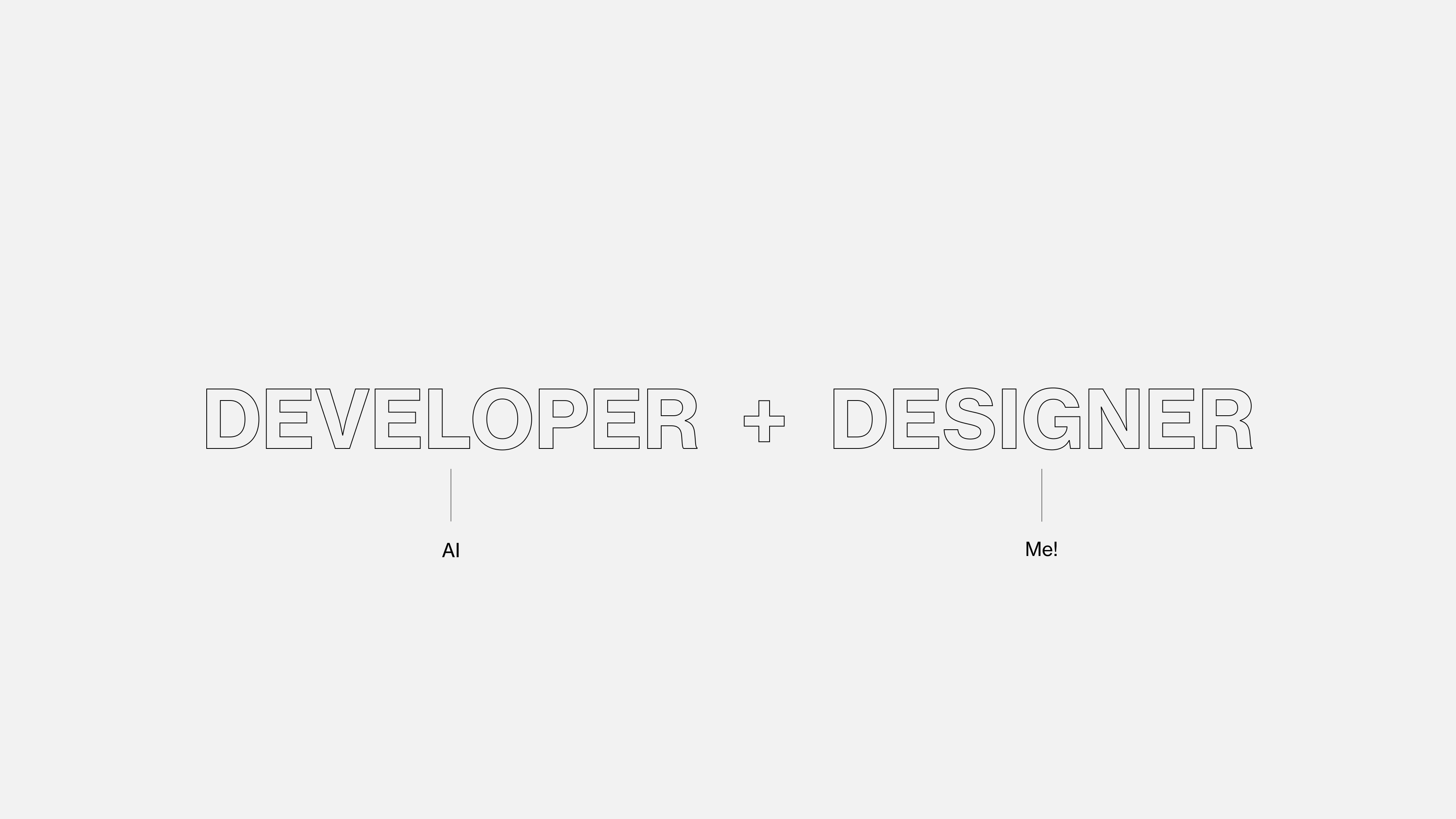
Coding was necessary in order to make the different components work together. Although I have some knowledge of web development, I'm not familiar with C++ or Python, the coding languages needed to control the components. To overcome this challenge, I leveraged AI to simulate a real-life collaborative environment between a developer and a designer.

ASSEMBLY & TESTING

The model was 3D printed using PLA Filament, and it’s functionality was tested after the assembly.

Usability testing

I conducted a moderated usability test with 5 users to identify any last-minute issues. The physical prototype did not effectively communicate the concept of a self-contained basket. This was anticipated, as the goal was to demonstrate functionality rather than final form.

Are users able to navigate the checkout journey?

All users were able to navigate themselves without assistance, noting the instructions on the screen as being helpful.

Do users understand what the two different modules (display and basket) are for?

Only after an explanation. 4 out of 5 users didn’t find it obvious that the two modules were supposed to represent two distinct devices due to the platform connecting them.

Would users see themselves using this solution if it were available in stores?

All users found this solution to be an improvement over existing implementations, with one user sharing some concerns over the capacity of the basket.

APP WIREFRAMES

Working with constraints

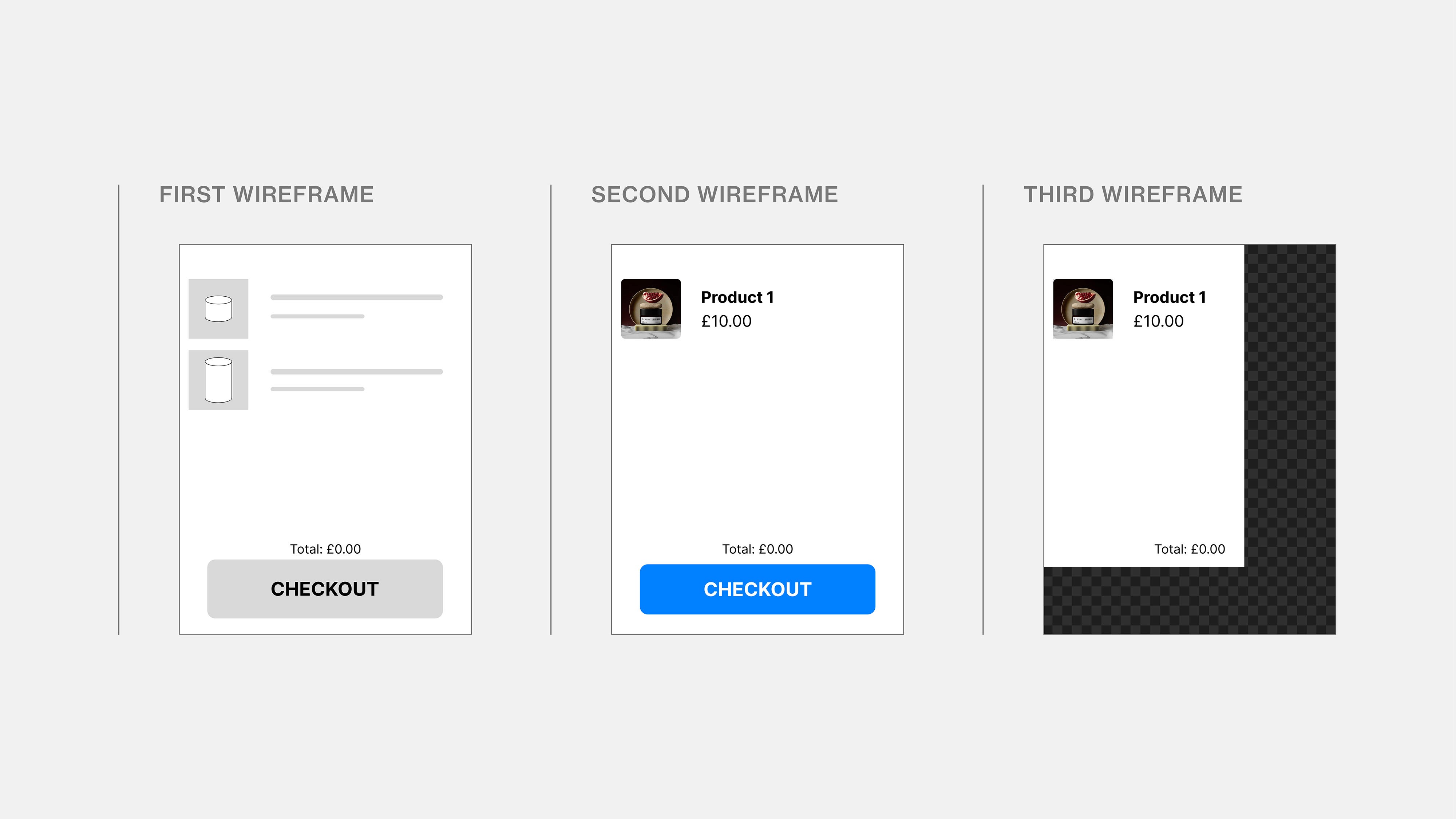
The first app designs were deliberately made simple so that they could be loaded by the Arduino. They also served as wireframes for the prototype. Because the Arduino couldn’t load buttons on top of images, the last iteration required precise measurements and cropping of the static elements so that buttons could be rendered side-by-side without conflict.

VIEW ALL PAGES

APP PROTOTYPE

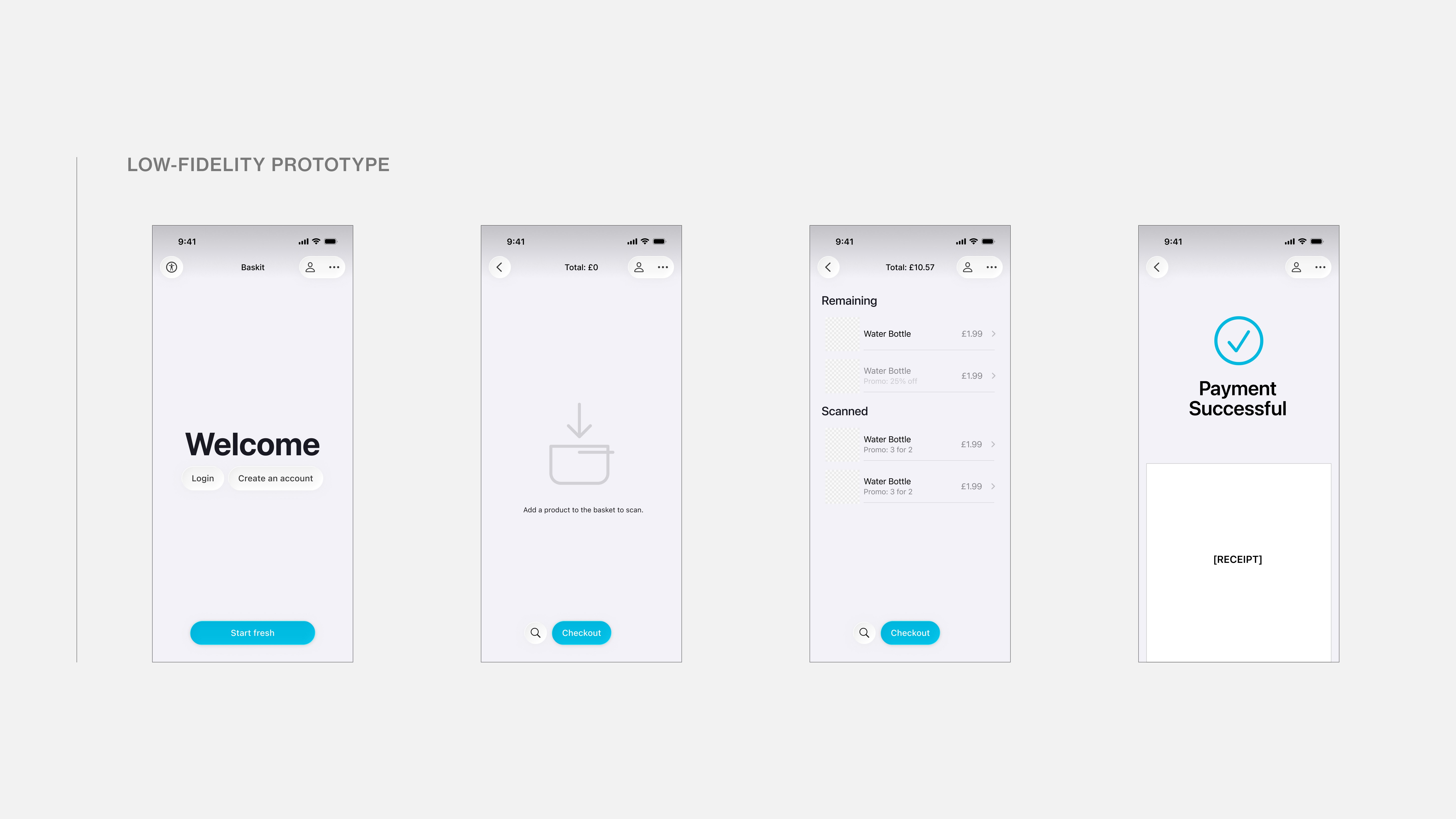
Low-fidelity app prototype

The goal for the final app prototype was to use AR to enhance the customer experience. This way, users could more easily find products in-store whilst being able to monitor their shopping basket in real time. To prioritise these functions, I used an expandable sheet that displayed the shopping list and product information.

APP PROTOTYPE

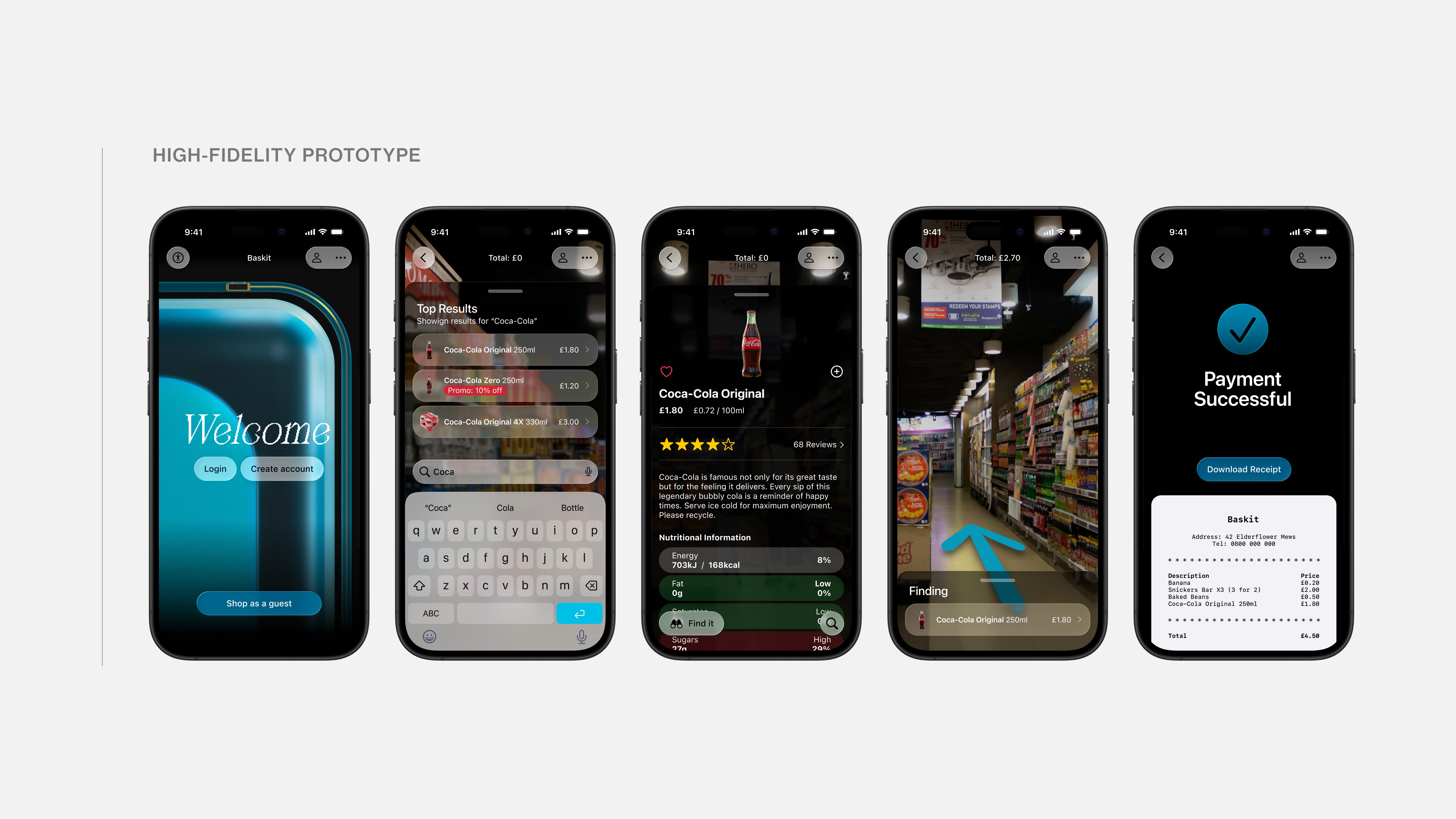
High-fidelity app prototype

I adopted the recently released Liquid Glass design framework from Apple as the key visual style for the app, which conveniently matched the aesthetic of the basket and paired well with the AR-forward experience due to its translucency. 3D models of products were used to allow for dynamic animations. The interface was kept simple and focused on the user’s intent: monitor their shopping list, find products in-store, find product information and checkout.

VIEW ALL PAGES

DELIVERY

Project showcase

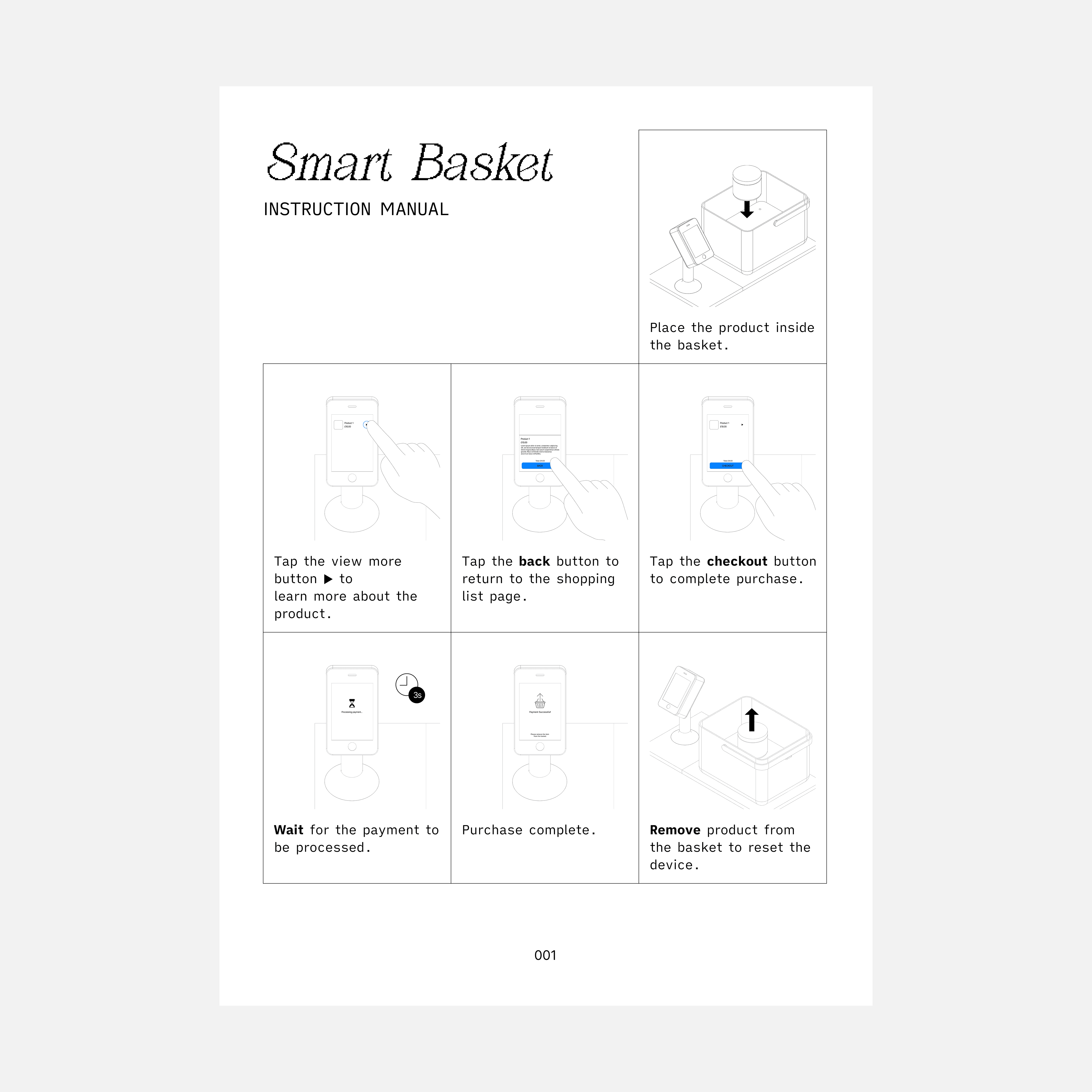
The final physical prototype was exhibited at the university’s annual student showcase along with the 3D renders and an instruction manual for visitors.

NEXT STEPS

Looking forward

Description

REFLECTION

What I learned

With the recent rise in mental illnesses it's just as important to understand the factors involved as finding solutions to solve this challenge. While the public health services struggle to meet the huge demand for mental health services we've seen a rise in private healthcare providers. From health insurance, online therapists and app-based GP's. Although they can be helpful to many, most of these solutions fail to tackle both of the two main pillars essential for healthcare accessibility: affordability and quality. Although the NHS has seen a progressive decline in the quality of it's services, they're still the most comprehensive.  They're also free to every UK citizen, removing one of the barriers many patients face. As a user of the NHS app I often felt it needed modernisation. The app is slow, outdated and with poorly implemented functionality. It's also difficult to navigate and does a poor job in educating users about their health, relying instead on the already busy NHS staff. There's a real opportunity to integrate modern technology such as fitness trackers and AI to help bridge the gap in communication between medical professionals and patients, fight misinformation, build patient autonomy, increase efficiency and improve quality of care

Other projects